Showing posts with label anchor charts. Show all posts

Tuesday, November 1, 2011

Anchor Charts


Here are some of the anchor charts I've created in my classroom so far this year. I stink at drawing my own anchor charts ( I may have mentioned that once...or twice...). I make mine on the computer. See my post here on how I make them.


This is our anchor chart for Monitoring for Meaning. We talked about different strategies to help us figure out a word we don't know.

This is from our Launching Reader's Workshop unit. We discussed what good readers do during Reader's Workshop. This is my favorite chart!
Also, during Launching we discussed how to take care of our class library (especially since it's my favorite part of the room!). My kids are actually reallyyy good about using the library this year - so proud of them!

Here's some Writing Anchor Charts:

This one I've really stressed this year. It drives me craaazzyy when my students come up to me and say "I'm done!" So this is an idea from Lucy Calkins Units of Study for Writer's Workshop. I almost never hear those dreaded words anymore!


Every Friday, my students write a letter to their parents in their Friday Journals. Read more about them here. I was noticing that my students kept forgetting the date, greeting, and/or the closing on their letter. I created this poster as an example/reminder for them.
Finally, we are participating in a district-wide initiative to improve our writing scores. We are all using a tool called RAiSE. I'll share more on that another time.


Sunday, October 30, 2011

Anchors Away!


TBA is hosting an Anchors Away linky party this week!


Before the fun starts, I wanted to share how I make my Anchor Charts now. Last month, I blogged (here) about my frustration with my lack of artistic skills when it comes to creating anchor charts and how I learned to make them on my computer! Major excitement on my part!! I was asked if I could explain how I create them...so I'll give it my best shot:

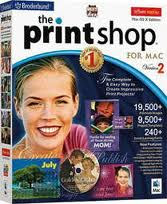
I use The Print Shop 2.0 for Mac


I start by creating a new poster:
I usually have the program help me design my poster, but you can also choose to create it on your own or have the program design it for you.


Once I've gone through all the steps, I am then able to mess around with different fonts, clipart and borders in The Print Shop. I'm getting very creative!


When I go to print the poster, I choose a larger poster size. I usually use 2x2 sheets (which is 4 sheets of paper) for my anchor charts, but I have also used 3x3 (6 sheets of paper) for really big posters.


Also, at the bottom of the print screen, if you click on PDF, you can save the enlarged poster as a PDF. This way, I can print it at school and not use my own paper/ink!

Once I've printed the poster, I trim the edges and mount it on posterboard for durability. They are awesome! I look forward to sharing my anchor charts with you all this week!

Andddd...as a freebie, here is my poster on the elements of a friendly letter from my TpT store.

I hope this helps! Happy Anchoring!


Sunday, September 11, 2011

Adding Excitement to Anchor Charts

We started using the Reading Workshop model 2 years ago in our district. I love Reading Workshop! It makes it so much easier to modify work to fit each student's needs. This year we are starting Writing Workshop too. My least favorite part of the Workshop model is the anchor charts. Not because I don't think they are useful, but because mine were sooo boring! Just words on a piece of paper, I didn't even want to hang them up in my own classroom. Let me add that I have no artistic ability whatsoever. I tried jazzing them up with different colored markers but to no avail. Still very very boring. I started to think that maybe anchor charts were just meant to be boring.

Then I came across Mrs. Carroll over at The First Grade Parade. Wow! She is an amazing artist. She inspired me to create more exciting anchor charts. But wait...I still have no artistic ability.

Enter technology. Last year I purchased PrintShop for my computer, but it was starting to collect dust. I decided to give it another go. I finally figured out how to make a poster that was larger than 8 1/2 x 11 in size (turns out it wasn't that hard). And wa-la! Here is my first anchor chart:


I'm so excited to hang it in my room and to make many more throughout the school year!

LinkWithin

Related Posts Plugin for WordPress, Blogger...
Pin It button on image hover